State of K-12 Critical Communications Report Now Available


Bring order to end-of-day dismissal and release students with confidence.
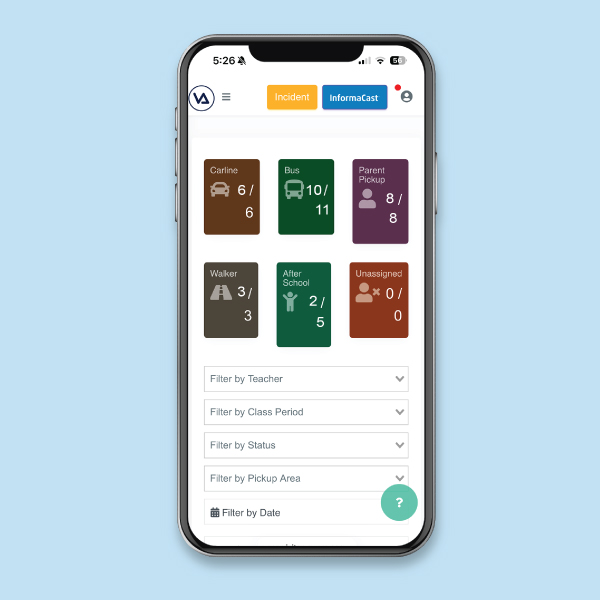
Buses, car lines, walkers, after-school activities—every student leaves a different way, and every day brings last-minute changes. Dismissal Manager replaces walkie-talkies, megaphones, and paper logbooks with a single real-time dashboard that everyone—teachers, car-line staff, administrators—can use from the device they already have in their pocket. Assign a dismissal type to every student, verify the right guardian is picking up the right child, and push last-minute changes to your whole team in seconds.
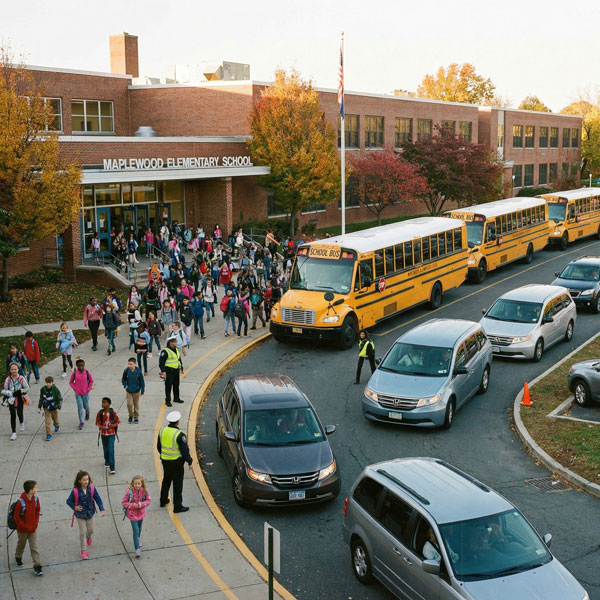
63% of schools experience dismissal-related issues that require staff intervention on at least a monthly basis.
Survey Report
A digital dismissal dashboard that plans, verifies, and tracks every student’s ride home.
Plan Effectively
Dismissal Manager replaces the patchwork of spreadsheets and paper logs with one structured place to plan every student’s end-of-day route. Assign a default dismissal type to each student—bus, car line, walker, after-school activity, or any custom type your school uses—and override it for special circumstances when a routine changes. Roster data syncs directly from your student information system, so you start accurate and stay accurate even as students’ dismissal plans change.

Multiple
Dismissal Types
Support every way students leave at the end of the day—bus, car line, walker, after-school activity, alternate guardian—in a single dashboard.

Per-Student
Plans
Assign a default dismissal type per student so every staff member sees the right plan, every day, without re-entering data.

Exception
Handling
Quickly override a student’s default plan for the rare days—a different guardian, a one-time pickup, an early walker—without breaking the underlying roster.

SIS
Sync
Pull students, guardians, and class rosters directly from your student information system so the dashboard always reflects current data.

Role-Filtered
Views
Teachers see their classroom. Car-line staff see the car line. Administrators see everything. One dashboard, filtered to the job in front of you.
Verify Release
The hardest part of dismissal isn’t just releasing students—it’s making sure the right adult is picking up the right child. Dismissal Manager validates guardian relationships in real time, gives every authorized guardian a QR code they can scan at the curb, and can integrate with license plate recognition cameras so staff know who’s arriving before they reach the front of the line. And because the entire workflow runs on a phone or tablet you already own, there’s no clunky handheld scanner to remember or impede the process.

Guardian
QR Codes
Give every authorized guardian a unique QR code so pickup is fast, frictionless, and unambiguous about who is picking up whom.

Relationship
Validation
Confirm the person at the curb is actually authorized to pick up this student every time using current SIS relationship data.

License Plate
Recognition
Integrate with existing video cameras to identify cars as they arrive so staff can have the right student ready to walk out—and spot banned vehicles before they reach the curb.
Device
Flexibility
No proprietary handheld scanners. Use the camera on a phone or tablet you already have, offering more flexibility and easier deployment.

Hands-Free
Protocols
Some schools don’t allow devices in the active car line. Dismissal Manager supports a workflow where scanning happens on the perimeter, and curbside staff confirm the pickup visually.
Track Records
When a parent calls in at 2:45 to say someone else is picking up their child today, that update needs to reach the front office, the classroom teacher, and the curb staff before the bell rings. Dismissal Manager makes every change instant. A single student update in the dashboard ripples to every role. Every dismissal event is captured in a digital log, so you have a clear record of how each student left the building and with whom.

Real-Time
Dashboard
See every student’s current dismissal status across your building, updated the moment anything changes.

Simple
Updates
Push last-minute pickup changes from the front office to every staff member in seconds—teachers, car-line staff, and admin all see the same thing.

Student
Awareness
If a student is absent for the day or signed out early, Dismissal Manager makes it easy to mark them out on the dashboard so staff don’t waste time looking for them.
Pickup
Log
Capture a digital record of every pickup—who took the student, what time, by what dismissal type—for parent conversations, audits, or incident review.

Banned-Vehicle
Alerts
When license plate recognition identifies a banned vehicle in the pickup line, staff get a heads-up to intervene before the situation escalates.
A deeper dive into dismissal.
A walkthrough of how every student gets home.
Take a closer look at how Dismissal Manager handles the end of the school day. See how student dismissal types are set, what happens when a plan changes at the last minute, and how a car line pickup moves from QR code scan to a student walking out the door. In this video, learn:
- How dismissal types tell every staff member where each student is headed
- How a last-minute change updates the teacher, the office, and the curb at once
- How guardian QR codes confirm who’s authorized to pick up each student
- How the digital queue keeps the classroom and the curb on the same page
Your connected suite for campus movement and safety.
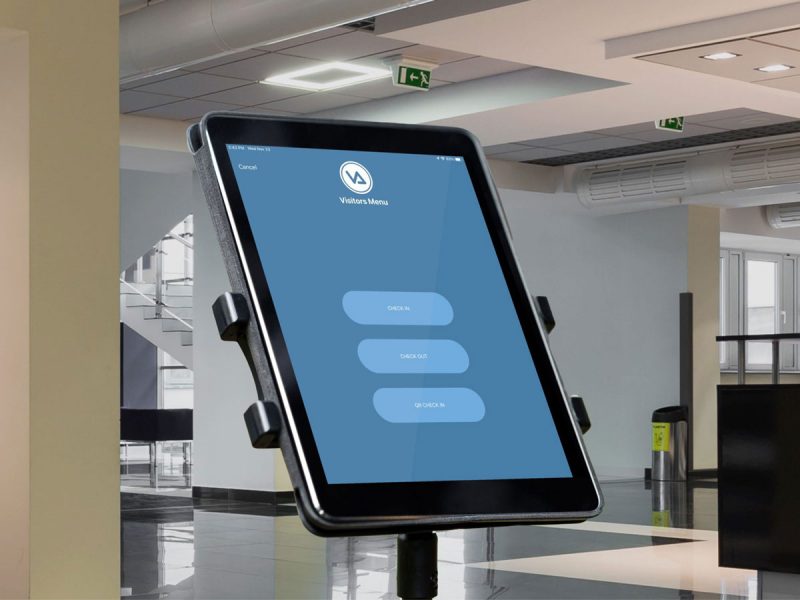
Visitor Aware
Screen visitors and volunteers in seconds, check against national databases, preregister guests, and use the hardware you already own.
Dismissal Manager
Plan, verify, and track every student’s ride home—bus, car line, walker, or after-school—from one dashboard.

Hall Manager
Issue digital hall passes from student devices, teacher portals, or shared kiosks; enforce smart restrictions; and track student movement.

Built to fit your school’s dismissal protocol—not the other way around.
No two schools run dismissal the same way. Some allow staff to use devices in the active car line; others require a strict hands-free curbside protocol. Some run a tight K–6 pickup process; others handle dozens of after-school activity buses. Dismissal Manager supports all of those workflows, and our implementation team helps you wire it to your student information system so the right students, guardians, and relationships show up on day one.
- Works with the iPads, tablets, and phones you already own—no proprietary hardware
- Integrates with your existing video cameras for License Plate Recognition
- Pulls student and guardian data from your SIS
- Supports flexible dismissal protocols, including hands-free curbside workflows
Dismissal Manager is school dismissal software from Singlewire Software that replaces paper sign-out sheets, walkie-talkie callouts, and carpool line confusion with a single shared dismissal plan for every student. Part of the campus movement and safety suite, Dismissal Manager gives front-office staff and teachers a real-time view of how each student is leaving school every day.
Dismissal Manager pulls each student’s default dismissal method (car rider, bus rider, walker, after-school program) from the school’s SIS and turns it into a live digital record visible to staff. Staff can make in-system changes in seconds and teachers see a clear breakdown of who’s going where on any given day. At pickup, staff verify each student against the school’s approved-contact list using a scannable QR code or license plate recognition and log every release automatically.
A school pickup app typically focuses on one piece of the dismissal puzzle, like carpool, and lives in a silo separate from the rest of school operations. Dismissal Manager manages the entire dismissal day in one system: car riders, bus riders, walkers, after-school programs, and any other route. It’s also part of the campus movement and safety suite, so the same roster and approved-contact data feeds hall passes, drills, and family reunification rather than being trapped inside a single-purpose app. Schools using Dismissal Manager don’t need to bolt together a pickup app, a bus tracking tool, and a reunification system—it’s all one platform.
Dismissal Manager targets carpool line wait times at the source: the time it takes to identify an arriving vehicle and bring the right student to the curb. As parents approach the school, Dismissal Manager recognizes them through their QR code or license plate before they reach the front of the line. Staff inside the building see each student’s name as their family arrives and can release that student to the door, so kids are lined up and ready to load when the car pulls forward. Schools using Dismissal Manager can shorten their car rider line and reduce the staff hours spent managing afternoon pickup.
Dismissal Manager validates every pickup against the school’s approved-contact list. Parents and guardians are pre-loaded from the SIS, and additional authorized pickups can be added by families if plans change. At pickup, staff confirm identity against the digital roster using the QR code, photo ID, or license plate recognition, and the system logs who picked up each student and when. There’s no more guessing whether the person at the door is an authorized contact or someone who shouldn’t be there at all.
Dismissal Manager only releases a student to a person on that student’s approved-contact list. If someone arrives who isn’t on the list—or who is explicitly flagged (a non-custodial parent without pickup rights, for example)—Dismissal Manager alerts front-office staff before the student is released. Schools can also flag custody alerts, restraining orders, and other restrictions at the student level, so the front office isn’t relying on memory or paperwork to enforce them.
Parents update their child’s dismissal plan from their phone. They can change a one-day plan (going home with a friend, getting picked up early, attending an after-school program), update a recurring plan (switching from bus to car rider for the rest of the semester), or designate an additional approved pickup. Changes flow to the school in real time and appear on the teacher’s roster automatically, so the classroom always reflects the latest plan without a phone call or a note in a planner.
Yes. Dismissal Manager is designed to work for every family, with or without a smartphone. Parents who don’t use one have a few paths. The front office can print a personalized QR code for the family to place on the dash of their car, and Dismissal Manager recognizes it the same way it would an in-app code. Parents can also log into their guardian portal from any computer—home, library, work—and print the QR code themselves. And for families without printer access at all, staff can simply type the parent’s name at pickup to queue up their student manually. No family is locked out of the system because they don’t use a smartphone.
Yes. Dismissal Manager is built for the fact that dismissal plans change constantly—kids attend after-school clubs that meet some days but not others, parents take turns picking up siblings, a normally-bus-rider gets picked up early for an appointment, a walker may go home with a friend. Either staff or parents can submit the change, the appropriate approvals run automatically, and the teacher’s roster updates before dismissal time. One-off changes and recurring changes are both supported, and every change is logged with the reason, the requester, and the timestamp.
Yes. Dismissal Manager manages every dismissal type in one system—car riders, bus riders, walkers, bike riders, after-school programs, daycare vans, and any other route a school needs to track. Bus riders are tied to their assigned routes, walkers are released through the appropriate exit, after-school kids are checked into their program automatically, and car riders flow through the carpool process. Schools don’t need to run separate tools for different dismissal types; one platform handles all of them.
Yes. Dismissal Manager supports license plate recognition as one of several ways to identify arriving vehicles in the car rider line, alongside scannable QR codes. As parents approach the school, cameras read the plate and Dismissal Manager matches it to the family’s record, so the front office sees the student’s name before the car reaches the front of the line. License plate recognition is optional; schools can choose any combination of identification methods that fits their community.
Explore the Visitor Aware Product Guide