State of K-12 Critical Communications Report Now Available


Smarter hall passes. Fewer disruptions. Better visibility into student movement.
A student asking to leave class can seem like a small interruption, but without visibility or control, those moments add up to lost learning time, hallway issues, and unanswered questions about where students actually are. Hall Manager is the digital hall pass solution inside the campus movement and safety suite from Singlewire Software. Issue passes from a student device, a teacher portal, or a shared classroom kiosk; set restrictions that keep traffic and conflicts in check; and maintain a real-time digital log of every active pass so school staff always know where students are.

Nearly 75% of schools use analog methods to excuse students from class, and only 11% of school staff feel confident they can quickly locate students when they’re excused from class.
A digital hall pass system that issues, restricts, and tracks student movement—without pausing instruction.
Issue Passes
Hall Manager works with your existing classroom procedures. Students can request a pass from their school-issued device, a shared kiosk inside the classroom, or a teacher can issue one from the teacher portal—and all three methods can run side by side. Passes can be approved instantly or auto-approved when the rules allow, so instruction doesn’t stop for a quick request. Staff set the destination and the length of time the student is permitted to be excused, and the rest is automatic.

Student
Requests
Students request passes from their school-issued device. Requests are geofenced to the school so they can’t be misused from home or off-site.

Teacher
Portal
Teachers issue passes directly from the Hall Manager portal using the same login they already use for the broader platform.

Classroom
Kiosk
Set up a single device in the classroom that students walk up to and use to request a pass without interrupting instruction.

Instant
Approval
Approve passes manually with a tap, or let Hall Manager auto-approve when the rules are met, so instruction is never interrupted.

Destination
& Duration
Choose where the student is permitted to go—restroom, library, nurse’s office—and how long they’re allowed to be out of class.
Place Restrictions
Hall pass misuse usually isn’t random—it’s coordinated. Hall Manager gives administrators flexible restrictions that target the real patterns: too many students in the hallway at once, the same destination filling up, or specific students who tend to meet up when they’re both on a pass. Set the rules once and let the system enforce them quietly in the background, without putting staff in the middle of every request.

Reduce
Traffic
Cap how many students can have an active pass at any one time so hallways don’t fill up during peak periods.

Limit
Destinations
Restrict how many students can go to the same destination—restroom, library, gym—at once to reduce overcrowding.

Restrict
Student-Pairs
Prevent specific pairs or groups of students from being out on a pass at the same time to prevent potential issues like vaping or vandalism.

Configure
Limits
Set per-student restrictions when needed—useful for students who are exceeding healthy pass counts.

Set
Geofences
Passes can only be requested from on-campus devices, so students can’t game the system from home, the bus, or off-site events.
Track Movement
Every pass Hall Manager issues becomes a real-time record. Front-office staff can see who is currently in the hallway, where they’re headed, and how long they’ve been out. Over time, those records turn into insights—how much instructional time is being lost in a given classroom, which destinations are seeing unusual volume, and which student pairs are coordinating their requests. And during an incident, that same log helps you account for every student in seconds.

Real-Time
Log
See every active pass in your school in real time—student, destination, time out—so staff in the hallway always know who has permission to be there.

Missed Time
Analytics
Track missed instructional time three ways: per student, per classroom, and per school location, so leaders can act on the patterns.

Actionable
Insights
Spot when the same students consistently request passes at the same time, or when a destination is being over-used, before it becomes a discipline problem.

Student
Accountability
When an incident occurs, the active-pass log tells responders exactly which students were out of their classroom and where they were headed, so staff can locate them quickly.

History
& Reporting
Run reports across any time range to support guardian conversations, intervention plans, or compliance audits.
A deeper dive into hall passes.
A walkthrough of how students stay accounted for.
Take a closer look at how Hall Manager handles student movement during the school day. See how a pass gets requested and approved, what rules you can put around it, and what the live log tells you about who’s out of class right now. In this video, learn:
- How students request a pass from their own device, a shared one, or their teacher
- How rules set destinations, time limits, and how many students are out at once
- How restrictions keep certain students from being in the hall together
- How the real-time log and trend reports show you missed class time
Your connected suite for campus movement and safety.
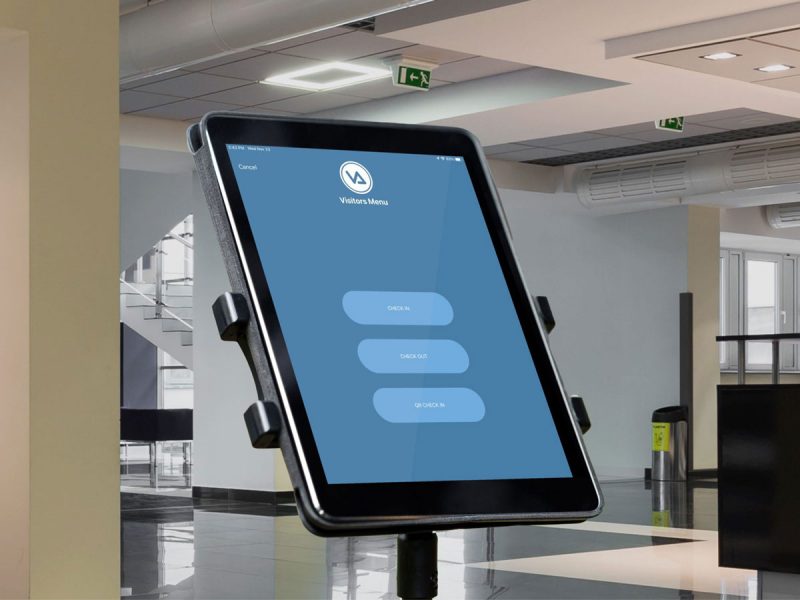
Visitor Aware
Screen visitors and volunteers in seconds, check against national databases, preregister guests, and use the hardware you already own.

Dismissal Manager
Plan, verify, and track every student’s ride home—bus, car line, walker, or after-school—from one dashboard.

Hall Manager
Issue digital hall passes from student devices, teacher portals, or shared kiosks; enforce smart restrictions; and track student movement.

Three ways to deploy.
One straightforward rollout.
Every school has a different mix of devices and a different philosophy about student technology. That’s why Hall Manager supports three deployment options that can run side by side—student-device requests, a teacher portal, and shared classroom kiosks. Our implementation team helps you choose what fits your classrooms, validates your SIS data so passes, students, and teachers are all wired up correctly, and gets the platform live with minimal lift on your IT team.
- Three deployment options—pick the one that works best for your classrooms
- Works with school-issued iPads, Chromebooks, laptops, and shared classroom devices
- Single sign-on through the portal, ClassLink-friendly bookmark for students
- Powered by your existing SIS data—stays up to date and accurate
- Professional services available for data validation, configuration, and staff training
Hall Manager is a digital hall pass system from Singlewire Software that replaces paper passes, wooden blocks, and signed planner slips with secure electronic passes issued by staff. Hall Manager gives teachers and administrators real-time visibility into which students are out of class, where they’re headed, and how long they’ve been gone—without disrupting instruction.
Hall Manager replaces the paper-pass workflow with a digital one that runs on the devices a school already uses. A teacher selects a student from their class roster and issues a pass to a specific destination—bathroom, nurse, counselor, locker, or another classroom. The pass is timestamped and visible across the building until the student returns. Every pass is logged automatically, so there’s no paperwork, no forging, and a complete digital record of every student movement.
Schools are switching to digital hall passes like Hall Manager because paper-based systems create problems that scale with the building. Paper passes are easy to forge, easy to lose, and offer zero real-time visibility into student movement. Staff have no shared view of who’s out of class, students can wander the hallway unaccounted for, and there’s no record of repeated misuse. Hall Manager gives schools a single digital source of truth—every pass is timestamped, visible, and logged—so administrators can protect instructional time, identify patterns, and respond faster when something happens in the hallway.
Issuing a pass in Hall Manager takes just a few taps. A teacher selects the student (or students) from their class roster, chooses a destination—bathroom, nurse, counselor, locker, or another classroom—and the pass is active immediately. Students can also request a pass from their own device for the teacher to approve. Either way, every excused trip is logged automatically without relying on paper sign-out sheets or physical passes.
Yes. Hall Manager lets administrators cap the number of students who can have an active pass from a single classroom, destination, or grade level at any given moment. Once the limit is hit, additional pass requests are queued—so teachers don’t have to track headcounts mentally, and the hallway and bathroom don’t get overcrowded. Limits can be different for different times of day, different destinations, or different periods of the year (heavier restrictions during testing, lighter at the beginning or end of the year).
Yes. Hall Manager gives administrators a set of tools to prevent the meet-up patterns that cause hallway and bathroom incidents. Schools can restrict passes between specific student pairs, cap the number of students at a destination (only one student in the gym bathroom at a time, for example), and flag students who request passes to the same location at suspiciously similar times. Hall Manager doesn’t follow students through the building, but it does give staff the visibility to see when something looks off before it becomes a problem.
Yes. Administrators and staff can see a live view of every active pass in the building—student name, destination, issuing teacher, and how long the pass has been active. A staff member who encounters a student in the hall can quickly check whether the student has a valid pass, where they’re supposed to be, and whether they’ve been out too long. Administrators see the same view at the building level, so security staff and front-office teams have the same picture.
Yes. Many incidents that happen when students are excused from class—vaping, fights, bullying, skipping—happen when multiple students end up unaccounted for in the same place at the same time. Hall Manager addresses that directly: administrators can cap how many students are out of a class or visiting a destination at once, restrict passes between specific students, prevent passes to high-incident areas during peak times, and surface data on which students or locations are driving the most trouble.
During a lockdown, evacuation, or other incident, administrators can instantly freeze all active passes and prevent new ones from being issued. First responders and school leaders can see a live list of every student currently out of a classroom—name, last known location, and which staff member issued the pass—which dramatically speeds up accountability ahead of reunification. Hall Manager works alongside the rest of the suite and Singlewire InformaCast to give administrators a complete picture of where everyone is when seconds matter.
Hall Manager runs in any modern web browser and on iOS and Android, so it works on the devices schools already have—Chromebooks, laptops, iPads, teacher phones, front-office computers. There’s no special hardware to buy and no apps to install on every student device.
No. Hall Manager records the destination a teacher (or student) selected and the time the pass was issued and closed—it doesn’t follow students through the building or use GPS, beacons, or any other location-tracking technology. The system knows that a student requested permission to go to the nurse and was logged back in 8 minutes later; it doesn’t know which hallway they walked through to get there. Hall Manager is an accountability tool, not a surveillance tool.
Student concerns about digital hall passes typically center on three areas: feeling surveilled, feeling timed or pressured during bathroom trips, and frustration with rigid systems that don’t account for legitimate needs like medical conditions, anxiety, or accessibility. Hall Manager is designed to avoid those issues. It doesn’t track student locations, doesn’t impose punitive time limits by default, and gives administrators the flexibility to accommodate students with medical or 504 needs without flagging them publicly. The goal is to protect instructional time and improve safety—not to make routine bathroom trips feel like a race—and the system is built to let schools strike that balance.
Hall Manager isn’t a standalone hall pass app—it’s part of the campus movement and safety suite, so the same pass data feeds dismissal, attendance, drills, and reunification instead of living in a silo. It’s built by Singlewire Software, the same company that powers critical communications and incidents management for thousands of K–12 districts through InformaCast, so safety integration isn’t an afterthought. And it’s designed around how schools actually run, with flexible restrictions, real-time visibility, and the controls administrators need without burdening teachers.
Explore the Visitor Aware Product Guide