State of K-12 Critical Communications Report Now Available


Safety starts the minute someone walks through your doors.
It matters who you let inside your buildings. Visitor Aware gives your organization a single, cloud-based method to screen every guest, manage volunteers, and connect what’s happening at your front entrance to your wider safety and notification system. Optional encrypted facial recognition, real-time visitor records, and integration with our Singlewire InformaCast software help you stop threats at the door while still welcoming everyone else with a fast, modern check-in experience that runs on the hardware you already own.

“Visitor Aware helps us provide peace of mind for everyone who walks through our doors.”
David Osterquist, Security Coordinator for Sioux Falls School District.
Visitor management that screens, welcomes, and protects every person in your building.
Screen Guests
Stopping threats before they reach your people starts with knowing who is at the door. Visitor Aware checks every guest against the National Sex Offender Registry, government databases, and active legal injunctions in real time—and uses encrypted facial recognition to reduce false positives that may come from common names. For schools, you can also screen volunteers against a national criminal records check before they ever step into a classroom.

Sex Offender
Check
Every visitor is automatically checked against the National Sex Offender Registry at check-in, with a digital audit trail for compliance.

Databases &
Legal Injunctions
Validate visitor and volunteer IDs against government watchlists and active legal injunctions to flag people who shouldn’t be granted access.

Encrypted Facial
Recognition
When a database match is found, optional encrypted facial recognition confirms or dismisses the match in seconds, reducing false positives caused by common names.

Banned
Visitor List
Maintain your own list of banned individuals, including no-trespass and no-contact orders, so known offenders are flagged the moment they try to check in.

Volunteer
Screening
Run checks on volunteer applicants directly in the platform, or record criminal background screenings completed by third-party.
Welcome Everyone
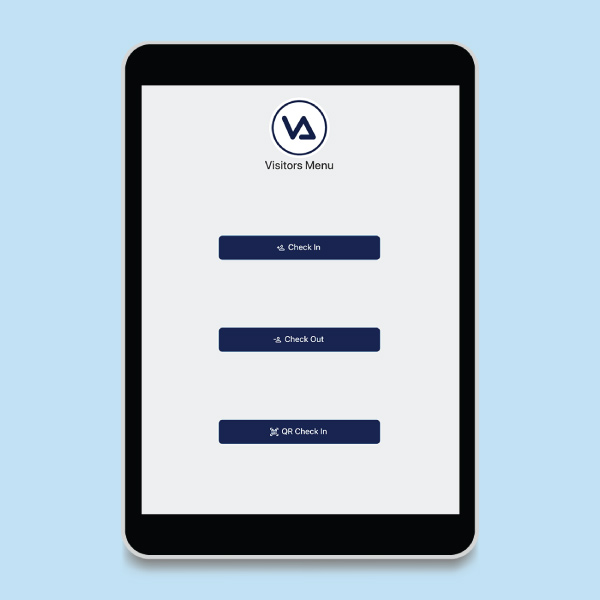
A secure entrance shouldn’t feel like a bottleneck. Visitor Aware lets you tailor the check-in experience to your environment—front-desk kiosks on iPads, self check-in from a visitor’s own phone, QR codes, or preregistration links sent ahead of a visit. Guests can even agree to terms of entry, choose a staff member to notify of their arrival, and walk away with a printed badge that identifies them and the areas they’re allowed to enter.

Self-Service
Kiosk
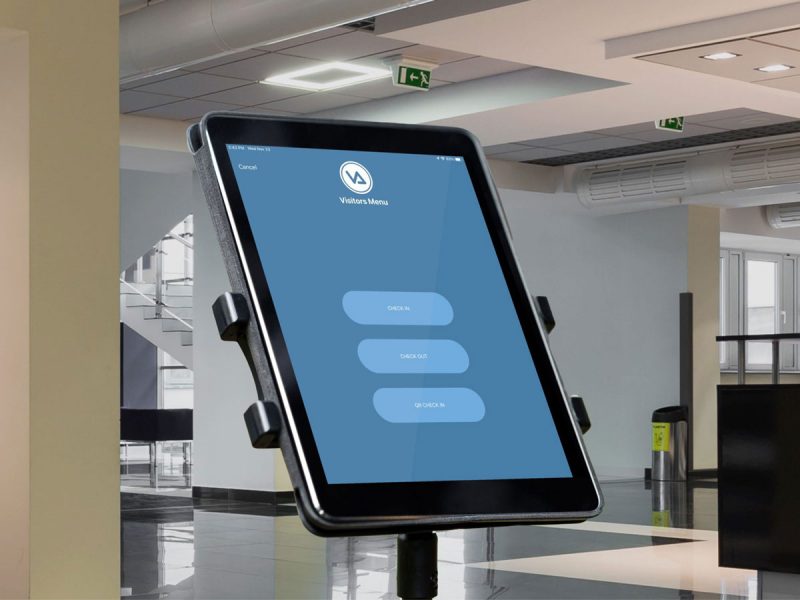
Set up a self-service check-in kiosk on an iPad, Chromebook, PC, or laptop you already own. No proprietary hardware required.

QR Code
Check-in
Let visitors check in from their own mobile device by scanning a QR code at your secured entrance—adding a screening layer before they ever step inside.

Preregistration
Links
Send guests a preregistration link ahead of their visit for high volume events, making check-in faster without sacrificing security.
Visitor
Badges
Print badges for approved guests with their photo, the host they’re visiting, and the areas they’re permitted to enter to show they’ve completed the approved check-in process.

Terms
of Entry
Prompt visitors to agree to policies, like NDAs, restricted areas, and visit guidelines at check-in to minimize confusion and document acknowledgment.
Manage Activity
Every check-in becomes a real-time record you can rely on. Visitor Aware gives you a digital logbook of who is in each of your buildings, multi-site insights across locations, and integrations with InformaCast that turn a flagged visitor into an intrusive, device-wide alert. You can even loop active visitors into your emergency notifications so they get the same instructions everyone else does while they’re on your property.

Digital
Logbook
Maintain a real-time, searchable digital record of every visitor; filter by day, time, or location to know exactly who was on-site during any incident.

Multi-Site
Insights
See visitor activity across every location in one place, and eliminate the need for guests to re-check-in when they move between buildings on the same day.

Host
Notifications
Visitors can select the staff member they’re there to see and notify them automatically at check-in, replacing the lobby phone call.

Flagged-Visitor
Alerts
When integrated with InformaCast, a flagged visitor can initiate phone calls, push notifications, desktop alerts, audio over speakers, and more—far beyond the email or text most visitor systems offer.

Visitor
Notifications
Opt checked-in visitors into a temporary, location-based notification group in InformaCast so they receive emergency alerts while on-site and remove them automatically when they check out.
No proprietary hardware. No vendor lock-in.
Run Visitor Aware on the devices you already own.
Many visitor management vendors force you into costly proprietary hardware, like ID scanners, and a recurring contract to keep them running. Visitor Aware doesn’t. Set up a self-service check-in kiosk on a base-model iPad, a Chromebook, a Windows PC, or a laptop already sitting at your front desk. Visitors can even skip the kiosk entirely and check in from their own phone by scanning a QR code at your entrance. When you want to round out the experience, off-the-shelf add-ons like badge printers, webcams, ID scanners, and tablet stands are available at prices that fit your budget—no specialized equipment required.
- Runs on iPads, iPhones, Chromebooks, PCs, and laptops you already own
- QR code self check-in option from a visitor’s own phone—no kiosk needed
- Optional, budget-friendly add-ons: badge printers, webcams, ID scanners, and stands
- No proprietary hardware to buy, maintain, or sign a yearly contract for
A deeper dive into visitor screening.
A walkthrough of the tool inside Visitor Aware.
Take a closer look at how digital check-in works in Visitor Aware. See what happens when a guest steps up to the kiosk, what the system checks before anyone gets a badge, and how your team hears about it when something comes back flagged. In this video, learn:
- How check-in runs on iPads, Chromebooks, or PCs you already own
- How each guest is screened against registries, injunctions, and your own banned list
- How optional facial recognition cuts down on false matches, and how to turn it off
- How a flagged guest reaches your team quietly, without a scene at the front desk
Your connected suite for campus movement and safety.
Visitor Aware
Screen visitors and volunteers in seconds, check against national databases, preregister guests, and use the hardware you already own.

Dismissal Manager
Plan, verify, and track every student’s ride home—bus, car line, walker, or after-school—from one dashboard.

Hall Manager
Issue digital hall passes from student devices, teacher portals, or shared kiosks; enforce smart restrictions; and track student movement.


Visitor Aware is a visitor management system from Singlewire Software that replaces paper sign-in sheets with a digital check-in process built around building safety. Visitor Aware screens every visitor against sex offender registries and government databases, prints a photo badge, notifies the staff member being visited, and keeps a live record of who’s in the building—turning the front office from a potential security gap into the school’s first line of defense.
A visitor arrives at the front office and checks in at a Visitor Aware kiosk (typically an iPad) or with help from a staff member. Visitor Aware scans the visitor’s ID, runs them against the sex offender registry, government databases, an organization’s custom watchlist, and any custody or restraining-order flags, and either approves the check-in or alerts front-office staff to a match. Approved visitors get a printed badge with their photo, the name of the staff member they’re visiting, and the date. Visitor Aware logs each check-in and check-out automatically, so the front office always knows exactly who’s in the building.
A paper sign-in sheet offers no reliable way to verify someone’s identity. It captures whatever someone is willing to write down—real or fake—with no screening, no verification, and no real-time view of who’s in the building. Visitor Aware turns that workflow into a meaningful security checkpoint: every visitor is screened against sex offender registries, government databases and custom watchlists, their ID is verified, a photo badge makes the visitor identifiable to staff in the hallway, and administrators can see at any moment exactly who is on campus. Paper sheets also create real privacy problems—the next visitor can see who came before them. With Visitor Aware, visibility stays with staff and administrators.
Yes. Every visitor is automatically screened against the U.S. sex offender registry as part of the check-in process. Visitor Aware checks all 50 states—not just the state the school is in—and the screening happens in seconds, so legitimate visitors don’t notice the check and flagged visitors are caught before they’re admitted to the building. If a match is detected, front-office staff are alerted privately so they can handle the situation without escalating in front of the visitor.
Yes. In addition to the sex offender registry, schools can build and maintain their own watchlist within Visitor Aware—including former employees, terminated contractors, individuals subject to no-trespass orders, or anyone else the school has reason to flag. Watchlist entries are private to the school (or shared across the district where configured), and a match generates the same private alert as a registry hit, so staff can respond appropriately without alerting the visitor.
Yes. Visitor Aware scans U.S. driver’s licenses and other state-issued IDs at check-in, pulling the visitor’s name, date of birth, and photo automatically. ID scanning makes the screening process faster, prevents typos, and ensures the name being checked against the registry actually matches the person at the kiosk. For visitors without a driver’s license, Visitor Aware supports manual entry and personalized QR codes.
Yes. Schools can flag individual students with custody alerts in Visitor Aware—for example, identifying a non-custodial parent who is not authorized to pick up a child, or flagging a visitor subject to a restraining order or no-contact agreement. When that individual attempts to check in, Visitor Aware notifies the appropriate staff privately so the school can respond according to district policy without escalating in front of other visitors.
Each school or district sets its own policy on whether and how to admit a flagged visitor. Visitor Aware alerts front-office staff privately when a match is detected—sex offender registry, government database, custom list, or custody flag—and provides the relevant context, but it is ultimately the school’s decision how to handle the encounter. Many districts have a standard response that combines staff training, administrator involvement, and (where appropriate) law enforcement contact.
Yes. Visitor Aware prints a photo badge for every approved visitor that includes their name, photo, date, and the staff member they’re visiting. Photo badges make visitors immediately identifiable to staff and students in the hallway and include a printed expiration date so a badge from a previous visit can’t be reused. Badges print to standard label printers, so there’s no proprietary hardware to buy.
Yes. Visitor Aware supports preregistration for scheduled visitors—parents, contractors, vendors, district employees, board members, anyone the school knows is coming. Pre-registered visitors receive a personalized QR code by email and can scan it at the kiosk for a fast check-in, with screening already completed in advance. Pre-registration is especially useful for high-volume events and for recurring visitors who shouldn’t have to re-scan their ID every time.
Visitor Aware uses iPads as check-in kiosks, so handling a high-volume event is mostly a matter of adding more iPads to keep the line moving. Many schools also pre-register attendees in advance and email them a personalized QR code, which speeds things up further. Screening, badge printing, and check-in logging all work the same way at scale—a school can run a back-to-school night with hundreds of parents and still have a complete digital record of who attended.
No. Visitor Aware runs on standard iPads (used as check-in kiosks) and standard label printers—both of which schools either already own or can buy off the shelf. There’s no proprietary kiosk or scanner to lease, no vendor-specific hardware to maintain, and no single point of failure. If an iPad breaks, any other iPad can replace it or scanning can switch to a desktop. That’s a meaningful operational and budget difference from most visitor management systems, which require dedicated kiosks at a per-kiosk price.
Yes, and InformaCast is the only notification system Visitor Aware integrates with directly. That’s intentional: both products are built by Singlewire Software, and the integration is deep enough that a flagged visitor at check-in can initiate a full InformaCast incident workflow—silent alerts to administrators, automated 911 notification, building-wide notification, and coordinated response—without any manual step in between. No other platform connects to Visitor Aware in this way.
Yes. Visitor Aware maintains a live log of every visitor currently checked in—name, photo, who they’re visiting, when they arrived—that administrators can pull up instantly during a lockdown, evacuation, or other incident. Combined with the rest of the Campus Aware suite, that means responders see not just which students are in which classroom but also which visitors are on site, where, and with whom—a complete operating picture of who’s on campus when it matters most.
Visitor Aware combines encrypted facial recognition (with the option to disable it in biometric-restricted states), no proprietary hardware, location-based licensing instead of per-seat or per-kiosk pricing, and direct integration with InformaCast—the critical communication and incident management platform many schools already use. That means a flagged visitor at check-in can initiate intrusive notifications across speakers, screens, phones, and mobile devices. Most competing visitor management systems stop at SMS and email alerts and require dedicated proprietary hardware.
Yes, optionally. Visitor Aware uses encrypted facial recognition in two ways: to confirm a database match during screening, and to speed up returning-visitor check-in by recognizing a face instead of re-scanning an ID. Facial recognition can be enabled or fully disabled by the customer, and individual visitor profiles can be exempted. In states whose legislation restricts biometric data use in K–12 environments, Visitor Aware disables facial recognition storage entirely.
No. Facial recognition in Visitor Aware is optional and is configured by the customer. ID scanning, manual entry, and visitor-specific QR codes remain available as safe defaults for schools that prefer not to use facial recognition, communities with privacy concerns, or districts in states whose legislation restricts biometric data storage in K–12 environments.
Visitor Aware is owned by Singlewire Software, which heavily encrypts all customer data. Data is transferred over HTTPS, stored in encrypted databases, and biometric data is encrypted with AES-256 server-side encryption. Each customer’s data exists in its own silo—no data is shared between districts—and Singlewire never sells or shares customer data with third parties. The customer owns the data and sets the retention period. Many K–12 customers retain data for the length of the school year and purge it at year-end, requiring visitors to revalidate the following year.
Yes. Visitor Aware supports a photo-exempt check-in process that uses a personalized QR code instead of a photograph, with assistance from front-office staff. Singlewire generally advises against routine photo-exempt check-ins, because an up-to-date photo helps staff identify guests during an emergency—but the option is available for visitors who decline a photo and for community members without IDs (including undocumented or unhoused community members) when the school still wants to permit entry.