State of K-12 Critical Communications Report Now Available


Account for every student—from the front door to the bus stop.
Knowing where students are is a core part of school safety—and that responsibility doesn’t end when they step onto the bus. Bus Manager extends accountability beyond the building with a digital ridership system that verifies students board the correct bus, tracks every active route, and gives front-office staff instant answers when a guardian calls in. Students scan a student ID or QR code to check in and check out, and a single mounted phone or tablet at the door handles the rest—no proprietary hardware, no driver workflow changes.
A digital bus ridership system that boards the right students, tracks every active route, and creates the records schools rely on.
Board Safely
When a student boards the bus, Bus Manager confirms—in real time—that they’re getting on the correct one. A scan of a student ID or QR code returns a green check mark for an authorized rider or a red X if a student is on the wrong bus. Drivers don’t have to make a judgment call, students don’t have to wait around for a manual check, and unique routes like field trips and sporting events are just as easy to support as the daily schedule.
Simple
Check-In
Students scan a student ID or QR code at the bus door to check in, creating a digital record showing they got on.

Route
Verification
When students check in they’ll see a green check mark to verify they’re on the right bus or a red X alerting them that they are on the wrong one.

Ad-Hoc
Routes
Run field trips, sporting events, and other one-off routes by selecting the ad-hoc option—the app loads all students so any rider can check in.
Manual
Backup
If a student forgets their ID, they can enter their student ID manually. Bus drivers or aides can also check students on or off from the ridership list.

Complete
Records
Students scan again as they exit the bus, creating a complete record of their trip to and from school.
Track Movement
While the bus is on the road, transportation staff and administrators can monitor every active route from a single dashboard. See which buses are running, which students are on each one, and where every bus is on the map—all updated in real time. The driver-side experience is intentionally hands-off: log in, tap into scan mode, place the device near the door, and let it run for the route.

Unified
Dashboard
Transportation staff and administrators see every active route, every active rider, and every bus location in one view.
Bus
Location
Each bus’s last known GPS location is plotted on a map and you can view multiple buses on a single map when more than one route is active.

Hands-Off
Workflow
Drivers don’t manage the app during the route. They log in, enable scan mode, mount the device, and focus on driving. The rest happens automatically.

Offline
Support
If connectivity drops mid-route, Bus Manager keeps recording and reconciles the ridership log once the device is back online.
PIN
Lockdown
A driver-set PIN code prevents students from navigating to other pages in the app, so the device stays focused on scanning.
Enhance Accountability
Every scan creates a record. After the route completes, the full ridership log is filed in a searchable archive that schools can pull from at any time for parent questions, internal audits, or state and federal ridership-based funding reports. Guardians can also see relevant bus updates through their own portal, which means the front office stops being the only line of defense for the “where is my student?” call.

Ridership
Archive
Every completed route lives in a searchable archive filterable by date, date range, and school location.
Simplified
Lookup
When a guardian calls asking where their student is, the person fielding the call clicks into the dashboard and answers in seconds.
Ridership
Reporting
Track student ridership counts over time to support state and federal funding programs tied to bus ridership volume.

Guardian
Portal
Guardians can log into their own portal to see bus location updates for their student, reducing pressure on the front office.

Unplanned
Riders
When a student boards a bus going to the same school but not their normal route, Bus Manager records them as an unplanned rider so they’re still accounted for.
No proprietary hardware. No vendor lock-in.
Run Bus Manager on the phone or tablet you already have.
Some bus ridership vendors require a proprietary scanner mounted on every bus—and a yearly contract to keep it working. Bus Manager doesn’t. The mobile app runs on iOS and Android, so a single mounted phone or tablet just inside the bus door handles the entire ridership workflow. Use the existing Wi-Fi on the bus, or pair the device with an inexpensive data plan on a low-cost phone. Either way, your fleet becomes a connected ridership system at a fraction of the typical hardware cost.
- Native iOS and Android apps—install on devices you already own
- Connects over bus Wi-Fi or a low-cost data plan
- Bus mount recommendations available
- Offline support keeps recording when connectivity drops mid-route
A deeper dive into student ridership.
See how it works inside Bus Manager.
Take a closer look at how Bus Manager tracks students from the curb to the ride home. See how students check in and out, what happens when someone boards the wrong bus, and how your front office can answer a guardian’s call in seconds. In this video, learn:
- How a phone or tablet by the door handles scanning, with no special equipment
- How the dashboard shows active routes and each bus’s last known location
- How the guardian portal lets families check status without calling the office
- How every trip is saved to a searchable record for audits and funding reports
Your connected suite for campus movement and safety.
Visitor Aware
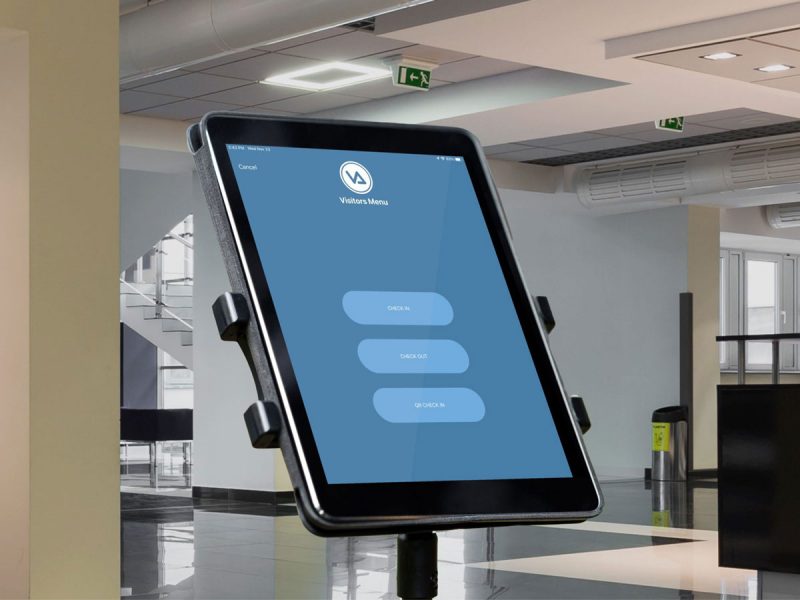
Screen visitors and volunteers in seconds, check against national databases, preregister guests, and use the hardware you already own.

Dismissal Manager
Plan, verify, and track every student’s ride home—bus, car line, walker, or after-school—from one dashboard.

Hall Manager
Issue digital hall passes from student devices, teacher portals, or shared kiosks; enforce smart restrictions; and track student movement.

Bus Manager is K–12 student bus tracking software from Singlewire Software that focuses on which students are on which bus—not just where the bus is. Part of the campus movement and safety suite, Bus Manager replaces paper bus rosters and driver headcounts with a digital boarding record for every student, giving drivers, schools, and families confirmation that each student is getting to and from school as planned.
Bus Manager pulls each student’s default bus assignment and stop from the school’s SIS. Drivers see their assigned riders on a tablet, and students check in as they board using a QR code, student ID, or passcode. If a student tries to board the wrong bus, they’ll see it on the check-in device. As students exit at their stops, the system updates in real time, giving the school office a live roster for every route and a complete digital record of every boarding and exit.
Standard GPS bus tracking answers one question: where is the bus right now? That’s useful, but it’s not the question that matters most when something goes wrong. Bus Manager answers a different question: where is my student? Instead of just tracking the vehicle, Bus Manager tracks which student boarded which bus, when they got off, and whether the right kids ended up on the right routes. That’s the difference between knowing a bus is on Elm Street and knowing your kindergartener is actually on it.
Bus Manager focuses on student-level visibility rather than bus-level GPS tracking—parents see when their child boards the bus, when they exit at their stop, and any exception (like a missed boarding) in real time. That’s a more meaningful signal than a dot on a map: knowing a bus is on Elm Street doesn’t actually confirm your child is on it. For schools that want bus-level GPS as well, Bus Manager can work alongside the GPS routing systems districts already use.
Parents using Bus Manager get notified at each step of their student’s journey—boarding, transit, and arrival at their stop. For schools that want a GPS-based “bus is two blocks away” experience, that capability typically comes from the district’s existing routing/GPS system, which Bus Manager can sit alongside. The value Bus Manager uniquely adds is the certainty that the right student is on the right bus, not just that a bus is approaching.
Bus Manager maintains a live roster for every bus as students board and exit. School leaders see a building- or district-level dashboard showing which routes have started, which students have boarded, which are still expected, and which routes are complete. Drivers see only their own route, while transportation directors and administrators see the full picture. The data updates in real time as students scan in, so there’s no end-of-route paperwork and no waiting for a driver radio call to know who’s on which bus.
Bus Manager notifies parents in real time as their child’s bus status changes. When the student boards the morning route, the parent sees a notification. When the student exits at school, the parent sees that too. The same flow runs in the afternoon—boarded the bus, exited at the stop—so parents have a continuous picture of their child’s journey without needing to track the bus itself.
Bus Manager checks each student’s assigned bus against their boarding bus in real time. As a student scans their QR code, student ID, or passcode at the door, the driver’s device confirms whether the student belongs on that bus—and if not, the device displays an immediate alert for the student to see. That prevents the most common bus mix-up: a kindergartener getting on the wrong bus on the way home, particularly during the first few weeks of school when routes are still settling in.
Yes. Bus Manager flags every student who was expected to board their assigned bus but didn’t—whether they boarded a different bus, stayed at school, or simply didn’t get on. The transportation office sees the discrepancy immediately, so they can verify the student’s whereabouts before the bus pulls away rather than discovering hours later that a child is unaccounted for.
Bus Manager is built for the reality that students lose things. If a student forgets or loses their QR code, ID card, or passcode, the driver can look the student up in the bus roster by name and check them in manually—the boarding is still recorded and the safety checks still run. Schools can also reprint a QR code or reset a passcode from the front office without disrupting the route. No student is left at the curb because they couldn’t find their card.
Students board using whichever method the school prefers: a QR code (printed on a student ID card or in a school-issued bus pass), a student ID number, or a passcode. The driver’s device confirms the student is on the right bus at the right stop, and the system logs the boarding automatically. Schools can pick the method that fits their grade level and operations—younger students often use QR codes on their backpacks, while older students may use student IDs they already carry.
Bus Manager runs on standard iOS or Android phones for drivers—no proprietary kiosk or scanner required. Schools can use the devices they already own, or invest in low cost devices that meet the requirements of running the app. For schools that issue QR codes to students, a standard label printer is all that’s needed; for schools using student IDs or passcodes, no additional hardware is involved.
Bus Manager uses the standard roster fields a school already maintains in its SIS—name, grade, classroom, default bus assignment, stop location, and approved contacts. Bus Manager doesn’t collect biometric data on students. All data is encrypted in transit and at rest, stored in Singlewire’s secure cloud environment, and meets FERPA, COPPA, and state student-data-privacy requirements. Each school’s data exists in its own silo—no data is shared between districts—and Singlewire doesn’t sell or share customer data with third parties.
Explore the Visitor Aware Product Guide