
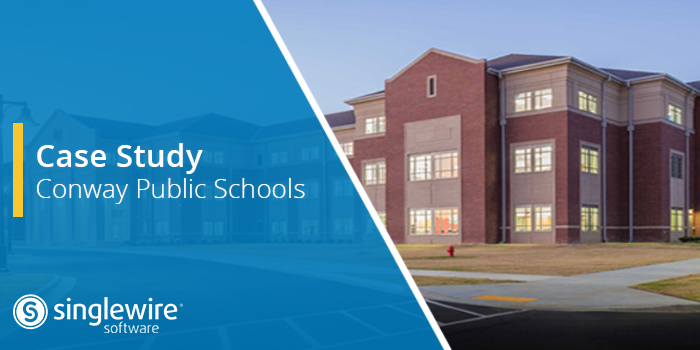
Conway Public Schools is located in just north of Little Rock, Ark. and serves approximately 10,000 students across 16 campuses.
The Challenge:
Conway Public Schools welcomes a steady stream of parents, grandparents, and guests to its 16 campuses, but its previous visitor management system didn’t work reliably with the district’s devices and printers, so front-office staff often fell back on paper sign-in, creating a security risk.
The Solution:
The district chose Visitor Aware, part of Campus Aware from Singlewire Software, to screen visitors in real time and speed up check-in. After a two-campus pilot, it rolled out districtwide. Staff now rely on it every day to help families get through the door faster, and identify potential risks before they gain access to school buildings.
A System Staff Couldn’t Count On
Eric King knows Conway Public Schools from several angles. He grew up in the area, served as the district’s first school resource officer in 2001, and is now in his fourth year as its first director of safety and security. His goal is to help administrators do their jobs safely and efficiently, with students and staff first in mind.
Visitors were a big part of that job. Elementary and middle schools host grandparents days, parent days, PTO meetings, and holiday events throughout the year. But the district’s old system struggled to keep up, especially as Conway moved to Mac products.
“Technologies were not working hand in hand together,” King said. The software would update, “but your printer wouldn’t work, so you couldn’t give them a badge.”
Finding a Better Fit
The district’s IT director brought Visitor Aware to King’s attention. This visitor management system helps schools know who’s inside. Visitors check in at a self-service iPad kiosk. It screens them against the National Sex Offender Registry, government databases, and active legal injunctions, then prints a badge. Optional encrypted facial recognition confirms or rules out database matches, reducing false positives from common names. If someone is flagged, the front office gets a private alert to respond discreetly. Every visit goes into a real-time digital logbook. The team set it up in the IT office for staff and faculty to try. Then King asked two campuses to pilot it, an approach he favors to work out issues before a wider launch.
“There’s no better salesperson than other people in your district,” he says. “When they told me it was easy, and it
was doing its job, that was one of those light bulb moments.”
The other campuses followed, with most up and running by the end of the year.
Built for Everyday Visits and Big Events
Each campus places its kiosk where it fits best, in the front foyer or on the main office counter. When families ask about the facial recognition step, King keeps it simple.
“It’s no different than an airport. We’re just making sure that your driver’s license and your face match each other.”
Once visitors are in the system, returning is fast.
“Once you’re in, you’re in,” King says.
Campus leaders even used open house and registration to enroll parents at the start of the school year. For big events, campus leaders check visitors in on iPads and their own phones, which gives family members more time to spend with their students, without having to sit in a long line.
Visitors without an ID, or who opt out of a photo, check in manually. The district explained the opt-out process through a form, emails, and a step-by-step walkthrough on its website, so families know what to expect. At Conway, when a visitor is flagged, administrators and the school resource officer step in to make contact.
“It’s amazing how calm a situation can be sometimes and how much more info you can get when a law enforcement officer is out there in front of you,” King says.
And every visitor follows the same process, through a single point of entry.
“My job is to protect every kid,” King says. “Yes, I might know you, but we’re going to do the same process over and over again.”
A Front Office That Believe In It
The clearest sign of success arrived in King’s office, wrapped with a bow. Inside was the district’s old system, returned by staff with a message that they liked the gift he’d given them.
“I said, ‘Well, this thing must be working.’”
Support calls tell the same story. Across 16 buildings, King has received only about two calls this year, and those were simple fixes to a misspelled name.
“It is a lifesaver. It really is,” he says. “If the end user’s happy, then we’re happy.”
His advice to other districts is to start with the people at the front desk.
“What do you like about the system you have now? What don’t you like?” he says. “If you’re just not happy at all, then you’re not hurting to pilot it at one campus.”
If the people who touch it every day like the way it operates, he adds, the decision gets much easier.
For more information about how Visitor Aware can help your schools welcome visitors with confidence, visit
www.singlewire.com/visitor-aware.